 CosmOS
How CosmOS works
A complete description of the browser, Messages, the wallet, Think, the node network and our server: what each part does, which algorithms it uses, what it stores and where it connects. Everything here is described from the source code of version 0.8.42.
1. Architecture
CosmOS is built on Electron 44 (the Chromium engine and Node.js). The program has two parts that update differently:
- The engine — Chromium, Node.js and Tor. It’s installed by
CosmOS-Setup.exe, weighs about 120 MB and rarely changes. - The app — the browser’s code and pages (about 10 MB). It updates with small packages in the background.
Processes and isolation
- The main process manages windows, tabs, networking, Tor, Messages, the wallet and Think. Keys and encryption live only here.
- Site tabs are separate Chromium processes with an isolated context. A site can’t see the browser’s internal objects.
- Internal pages (
outline://: home, Messages, wallet, Think) talk to the main process through a narrow set of calls. Every call checks which page it came from. - Our own panels over sites (“Watch together”, “Together”) live in a closed shadow DOM: a site can’t read them or click them on your behalf.
Where data is stored
Everything is stored in the Windows user folder (%APPDATA%\Outline Private). Secrets are encrypted with Windows (DPAPI via safeStorage), so they can only be opened under the same account on the same computer.
| What | Where | Protection |
|---|---|---|
| Settings, history, bookmarks | settings.json, history.json, … | Regular user files |
| Messages conversations | a folder per chat, months m-YYYY-MM.bin, attachments separately | Compression + encryption with a key that is itself encrypted by Windows |
| Wallet | phrase envelope | scrypt + AES-256-GCM with the PIN, plus Windows on top |
| Site passwords, form data | user folder | Each record is encrypted by Windows |
| Think | think/posts.log, think/blobs/ | Posts are public and signed; the author’s key is stored separately |
| App updates | app-versions/ | Ed25519 signature and SHA-256 |
2. Installation and updates
Requirements
Windows 10 or 11, 64-bit. Installation doesn’t need administrator rights and puts the program in %LOCALAPPDATA%\Programs. Tor is already included in the installer (resources\tor); if it’s missing, the browser will find tor.exe from an installed Tor Browser.
How updates arrive
- Every 10 minutes (and when you return to the window after more than 3 minutes) the browser requests
https://dl.d27.company/dl/latest.json. - The response is a release description and a signature. The signature is checked with an Ed25519 public key built into the browser: the signed string is
cosmos-update-v1|+ body. If it doesn’t match, the update is rejected. - Every release file has a SHA-256 in the description. The downloaded file is compared with it byte for byte.
- If the engine version is the same, a small package
outline-app-‹version›-e44.packis downloaded — a gzip with a JSON list of app files. Otherwise, the full installer. - The package is unpacked into
app-versions/‹version›; paths with..and any characters other than letters, digits, dots and hyphens are rejected. Thencurrent.jsonis written.
Protection against a failed update
On launch the loader sets a booting mark and removes it once the browser window appears. If the previous launch of a fresh app version never reached the window, that version goes into bad.json and the browser starts the built-in app. It won’t take that version as a small package again — only through the full installer.
If our update server is unavailable, the browser can take releases from GitHub. Development mode (the dev-src.txt file) turns update checks off.
3. Browser
Tabs and memory
- Sleeping tabs are unloaded from memory after 15 minutes of inactivity, or after a couple of minutes when memory is low. A sleeping tab uses almost no memory.
- Pinned tabs, drag and drop, “Show side by side” — the screen splits in half.
- Picture in picture (Alt+P) takes the largest video on the page, including from an embedded player.
- Quiet mode (F11) hides the toolbar; it reappears when you move the mouse to the top edge.
- Reader mode (F9 or the
Aabutton) shows the article without ads and menus.
Keyboard shortcuts
Letter shortcuts work in any keyboard layout: the browser looks at the physical key, not the letter.
| Keys | Action |
|---|---|
| Ctrl+T | New tab |
| Ctrl+W | Close tab |
| Ctrl+Shift+T | Reopen a closed tab (up to the last 25, kept in memory only) |
| Ctrl+1…8 / 9 | Tab by number / last tab |
| Ctrl+Tab, Ctrl+Shift+Tab | Next / previous tab |
| Ctrl+L | Address bar |
| Ctrl+F | Find on page |
| Ctrl+R, F5 (+Shift) | Reload (bypass cache) |
| Alt+← / → | Back / forward |
| Ctrl+H / J / D | History / downloads / bookmark |
| Ctrl+= / - / 0 | Zoom in / out / reset |
| Ctrl+Shift+1…9 | Switch profile |
| Ctrl+Shift+Delete | Clear traces |
| Alt+T | Telegram on the side |
| Alt+P | Picture in picture |
| F9 / F11 / F12 | Reader mode / quiet mode / developer tools |
“Watch together” and “Together on a site”
A toolbar button invites a friend from Messages. Signals travel over the same encrypted channel as messages.
- YouTube: pause, seeking, speed and video changes are synchronized. Every 3 seconds the sides exchange positions; the guest adjusts if they drift apart by more than 1.5 seconds. An ad for one pauses the other.
- Any site: the page address is shared (http/https only, without a login and password in the address, without the part after
#), along with the scroll position as a fraction of the page and the pointer as a fraction of the document width and height. Your friend follows you through links. If a site redirects right after navigation, the browser doesn’t pull your friend back — a 5-second “ping-pong” guard. - Only addresses and coordinates are shared: cookies, passwords and page contents never leave. On pages with a personal account your friend sees their own version of the page.
Home page: the living sky
A new tab is the sky. By default it’s the real sky above you right now (the “✦ Living sky · city” button in the bottom left):
- stars down to magnitude 5.6 with their real colors (HYG catalog), constellation lines and the outline of the Milky Way;
- the Moon and planets — their positions are computed by an astronomy engine for the current second;
- a view to the south with the horizon at the bottom of the screen; the sky turns with the Earth, and you can “look around” a little with the mouse.
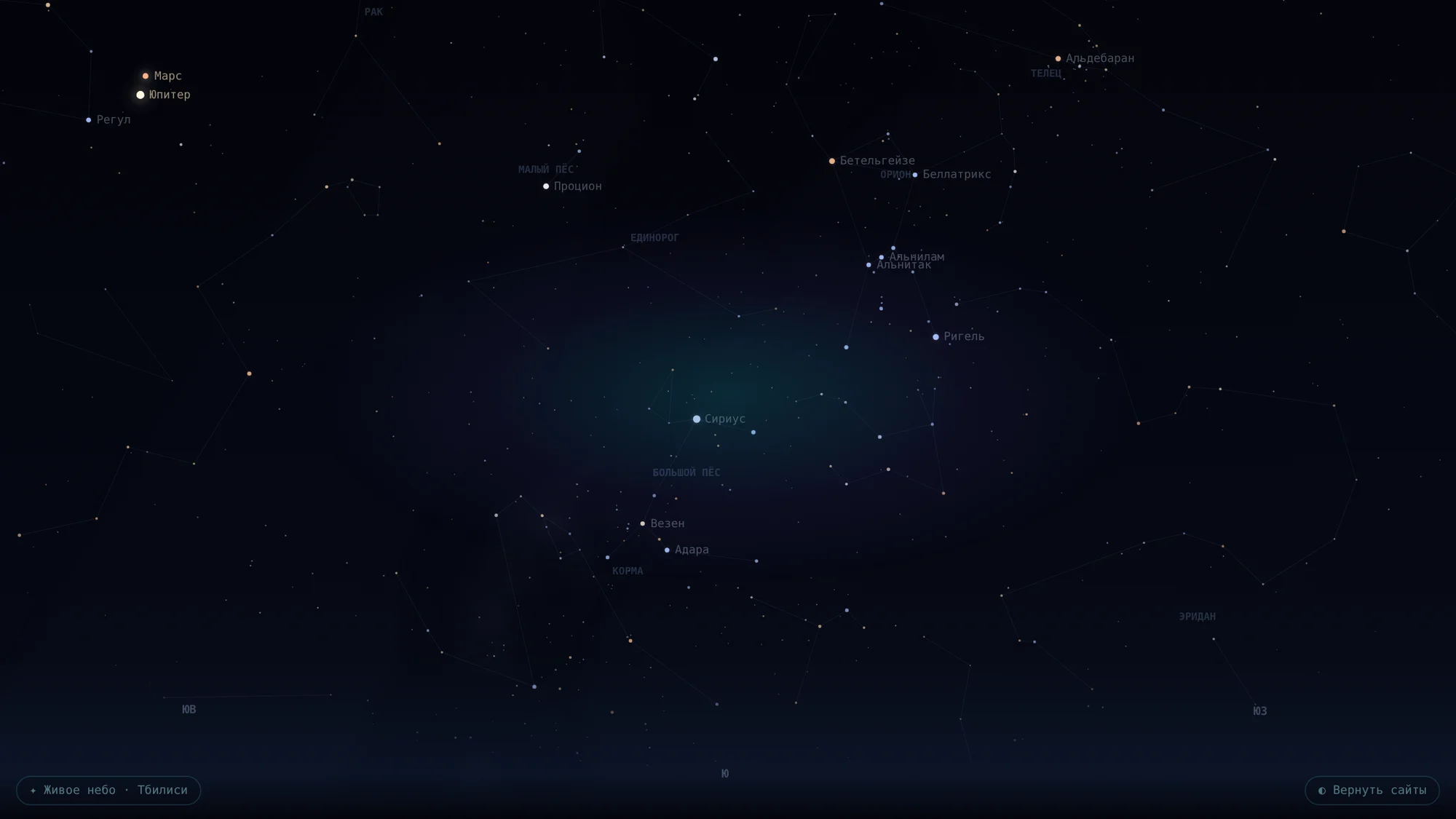
Turn the button off and you get an invented but still living sky: the Milky Way drifts slowly, nebulae are born and fade, and rare “wanderers” fly across. It’s one sky for the whole session: a new tab continues the same sky instead of starting over.
The location comes from the Windows time zone, not GPS or IP: Asia/Tbilisi gives Tbilisi, Europe/Moscow gives Moscow. Nothing is sent anywhere. The button next to it hides sites and search, leaving just the sky. The animation runs only while the tab is on screen and barely loads the computer. The same starscape is available as the “Space” background in Messages.
Page translation
Translation runs on your computer: the Bergamot engine (the same one Firefox uses) and Mozilla language models. A language-pair model (15–40 MB) is downloaded once from Mozilla’s servers, checked against its SHA-256 and kept on disk. The page text never leaves your computer.
Other
- Profiles: each has its own data folder, color and “computer” for sites (fingerprint). One profile is open at a time.
- Anonymous window: a separate window without the wallet, Messages or profiles. It always works through a proxy or Tor, updates nothing and leaves no traces after closing.
- Chrome extensions: from the store by link, from
.crx/.zipor from a folder. Extensions that change pages with scripts and styles work best. - Downloads can be paused and resume after a restart.
- History can be deleted for the last hour, today, the week or all of it; when you clear traces, site icons stay only for bookmarks.
4. Privacy and protection
Built-in Tor
Tor is a separate program, tor.exe, from the Tor Project bundle. The browser launches it with its own data folder, a SOCKS port and a control port on 127.0.0.1, and controls it through that port: it changes circuits and publishes hidden .onion addresses (ADD_ONION).
- Connection methods: direct → WebTunnel → Snowflake → obfs4 → meek. The browser tries them in turn until one works. You can paste your own bridges.
- Different circuits for different sites: the
IsolateDestAddrflag is on, so every site goes through its own relays and sites can’t link your visits together. - Self-healing: if Tor drops, the browser restarts it and reopens the pages that didn’t finish loading.
- Relay countries are shown using the geoip files from the Tor bundle.
Proxy and WebRTC
HTTP and SOCKS5 with login and password are supported; you can paste the seller’s string as is. When a proxy or Tor is on, WebRTC switches to disable_non_proxied_udp, so calls and video chats on sites don’t reveal your real IP. Without a proxy it’s default_public_interface_only, and local network addresses aren’t visible to sites.
Fingerprint masking
- Sites see an ordinary Chrome on average hardware: the number of cores and the amount of memory are replaced with plausible values, and the graphics card is reported the way real Chrome on Windows reports it.
- The canvas drawing and audio fingerprint change slightly on every launch.
- Signs of automation (
navigator.webdriverand internal fields) are removed, and the battery level isn’t exposed. - Sites receive the Global Privacy Control signal: “don’t sell my data”.
- The time zone can match the proxy’s country.
Ads, trackers, cookies
- Lists: EasyList, EasyPrivacy, uBlock Origin lists and RU AdList. They are downloaded from GitHub every few days and parsed in a separate thread. Until they arrive, a short built-in list works.
- Third-party cookies are blocked: other parties’ widgets on a page can’t recognize you across sites.
- Link tracking tags (
utm_…,fbclid,gclid,yclid) are stripped. - HTTPS only: http addresses are upgraded to https; if a site can’t do it, the browser asks.
- YouTube: the browser can press “Skip” on ads and mute them by itself.
Protection from scam sites
Before a page opens, its address is checked against the crypto scam lists maintained by wallets themselves: MetaMask eth-phishing-detect and the Phantom blocklist. The lists are downloaded at most once every 20 hours the same way as sites (through Tor if it’s on), and the check runs against a local copy, so the browser never reports which sites you open. It also catches imitations of well-known brands (swapped letters like binanse.com, Cyrillic instead of Latin) and addresses like metamask-verify.xyz.
Traces, amnesia, passwords
- Clear traces — cookies, cache, history, download list; icons stay only for bookmarks.
- Clear on exit — the same on every close.
- Amnesia — cookies, cache and history live only in RAM; bookmarks and settings stay.
- Passwords are encrypted by Windows and filled in only on the same site with an exact match of protocol, host and port, and only in the main page, not in nested frames.
- Form data is remembered without passwords, card numbers and codes; the contents of each record are encrypted.
5. Messages
Identity and address
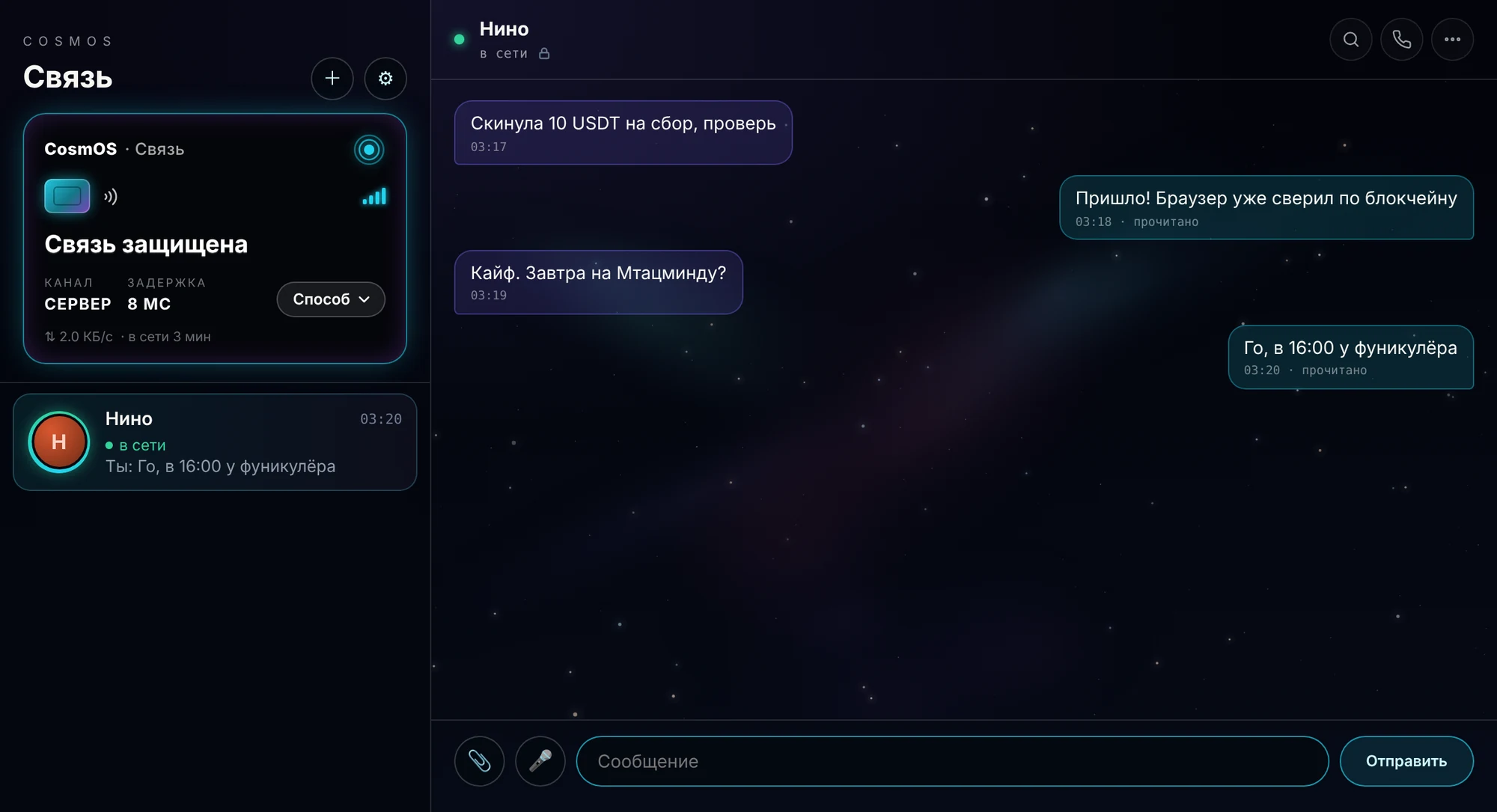
On first launch the browser creates an Ed25519 signing key pair and a permanent Tor hidden address (onion v3). The code you give a friend is the address plus the public key:
OL2-‹56 characters of the .onion address›‹43 characters of the Ed25519 key in base64url›A cosmos://add/… link does the same in one click. There’s no sign-up: your account is a key on your computer.
How messages get through
- Directly over Tor. The browser calls the other person’s address itself. Tor guarantees that the owner of the address answered, and the signature proves it’s the same key as in the code. Your messages go only over your outgoing connection, and theirs are received over the incoming one.
- Through the relay server, if Tor isn’t working. The server address contains its public key:
OLR1-‹address›:‹port›-‹key›, so the server can’t be swapped. If Tor is working, we reach the server through Tor and it doesn’t see our IP. - Into the server mailbox, if the other person is offline. The letter is encrypted and kept for up to 30 days.
Handshake with the server
client → server : ephemeral X25519
server → client : its own ephemeral X25519
shared secret   = HKDF-SHA256( ECDH(server static key, client) ‖ ECDH(ephemeral, client), "outline-relay-v1" )
channel         = AES-GCM
client → server : auth { Ed25519 key, signature("outline-relay-auth|" ‖ challenge ‖ server key) }
Only whoever holds the server’s static key knows the shared secret. Then the client proves it owns its signing key.
End-to-end encryption
The scheme follows Signal (Double Ratchet, a public-domain specification) with a post-quantum addition.
- X3DH / PQXDH handshake: a shared secret from three X25519 exchanges — the identity key, the other person’s weekly signed key and the sender’s one-time key — plus ML-KEM-768 to the other person’s permanent post-quantum key.
- Double Ratchet: every reply brings a new X25519 exchange (the root chain), every message a step of the key chain. A used key is erased right away.
- Post-quantum addition: at the start of every new chain the sender seals ML-KEM to the other person’s fresh post-quantum key and mixes the result into the root chain.
- Properties: forward secrecy (keys stolen today won’t open yesterday’s messages) and self-healing (after new messages they won’t open future ones either), including against a quantum computer.
| Parameter | Value |
|---|---|
| ML-KEM-768 (NIST FIPS 203) | public key 1184 bytes, capsule 1088 bytes |
| Skipped messages | up to 1000 keys ahead, kept for up to 14 days (no more than 2000) |
| Sessions per contact | up to 4 at once (several devices) |
| Length padding | to a multiple of 256 bytes, above 4 KB to a multiple of 4 KB (a 0x80 byte and zeros) |
| Older versions | everything works without ML-KEM, just without the post-quantum layer |
Sealed-sender letters
Through the server a letter can travel “sealed”: the server sees only the recipient, not the sender. To keep such letters from being sent by the thousands, everyone has a pass, and the server stores only its hash.
“Online”
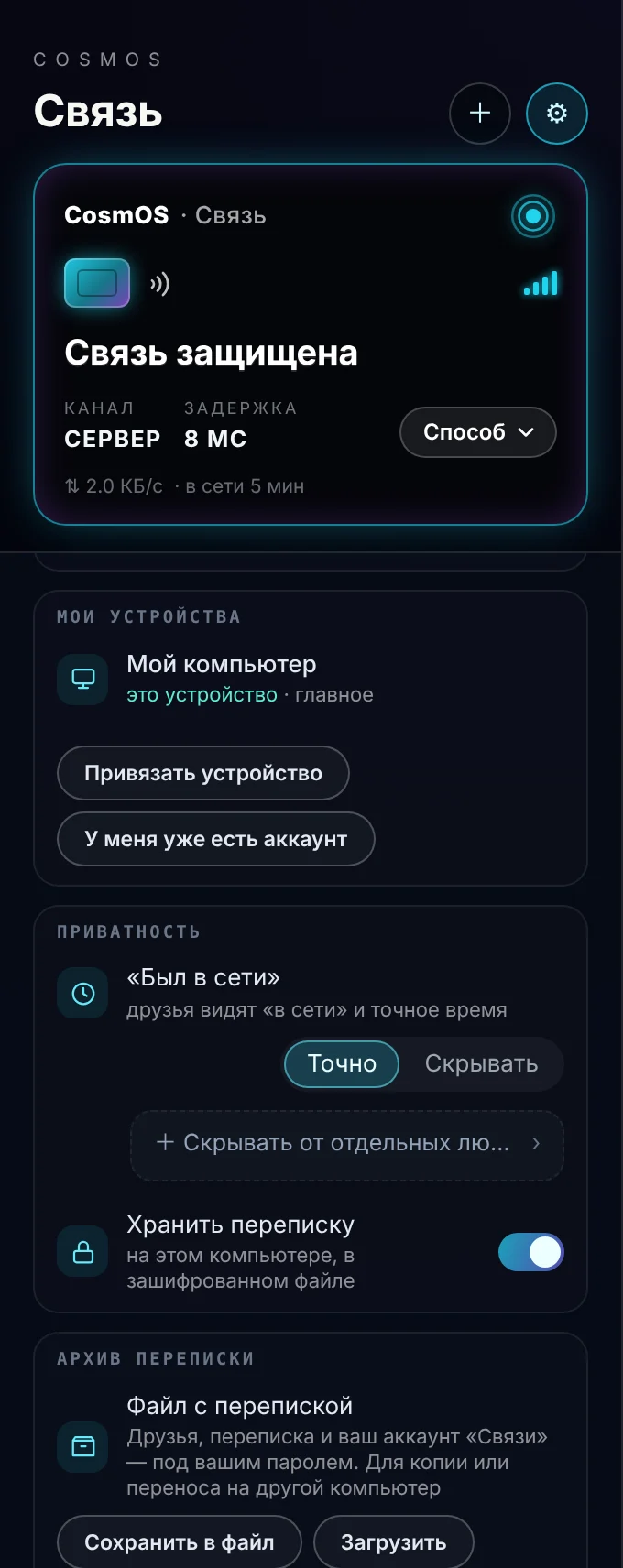
- The main connection doesn’t tell the server your contact list. A friend’s “online” status is looked up by their presence number — 32 random bytes they give only to their contacts. The server stores only the number’s SHA-256.
- Modes: “Exact” — friends see “online” and the time; “Hide” — only how long ago: “recently” (up to 3 days), “this week”, “this month”, “long ago”.
- Exceptions: in “Exact” mode you can choose who to hide from, and in “Hide” mode who to show the exact time to. For this a person has a second, inverse number: with it the server shows the opposite. The server doesn’t know who got which number. When someone loses the right to see the exact time, the numbers change and the old one stops working.
- The server keeps “last seen” times for 90 days.
Calls and video
Calls run over WebRTC directly between browsers: sound and video are encrypted on the caller’s side (DTLS-SRTP) and decrypted only by the other person. The browsers arrange the call through Messages; the conversation itself doesn’t go through the chat.
- Voice. With noise and echo suppression. If a direct connection fails (strict NAT, mobile internet), voice goes through our server’s TURN, which forwards ciphertext and can’t read it. The call window shows how the connection runs: “⚡ direct” or “🛰 via server”. “Hide my IP” mode always goes through the server.
- Video. Camera up to 1280×720, 30 fps, up to 1.5 Mbit/s. Only over a direct connection: video never goes through our server. If the connection moves to the server mid-call, the camera turns off by itself and the call continues with voice.
- Screen sharing during a call, up to 30 fps. Also direct only.
- Picture in picture. Leave Messages during a video call and the other person stays in a small window on top of everything.
- Group calls of up to 8 people: everyone connects to everyone directly, with no shared mixing server. The server sees only “who is calling whom” signals, not voices. When someone shares their screen, it’s shown large above the participant tiles.
- A blocked person can’t call you and doesn’t find out they’re blocked.
Features
| Feature | How it works |
|---|---|
| Messages | up to 4000 characters; replies with quotes, reactions 👍 ❤️ 😂 😮 😢 🔥, editing and deleting for both, “read” |
| Disappearing | lifetime: an hour, a day or a week |
| Files and photos | up to 5 MB; sent in 30–150 KB chunks; photos are compressed |
| Voice messages | recorded and played right in the chat |
| Calls | voice, video, screen sharing, group calls of up to 8 people — details in “Calls and video” |
| Groups | up to 50 people; a file is sent once for everyone |
| Joining a group | the creator adds friends directly or turns on an invite code OL2G-…. The code isn’t a key to the conversation but a request to be let in: the request goes to the creator, and their browser lets the person in — right away or after “Accept”. If the creator is offline, the request waits. “Change code” makes the old one stop working |
| Blocking | a blocked person can’t send you a request, message, call or invitation, and won’t find out about it |
| Several devices | your own devices link with each other and receive copies of your chats |
| Storage | all conversations are stored only on your side; the server doesn’t have them |
6. Wallet
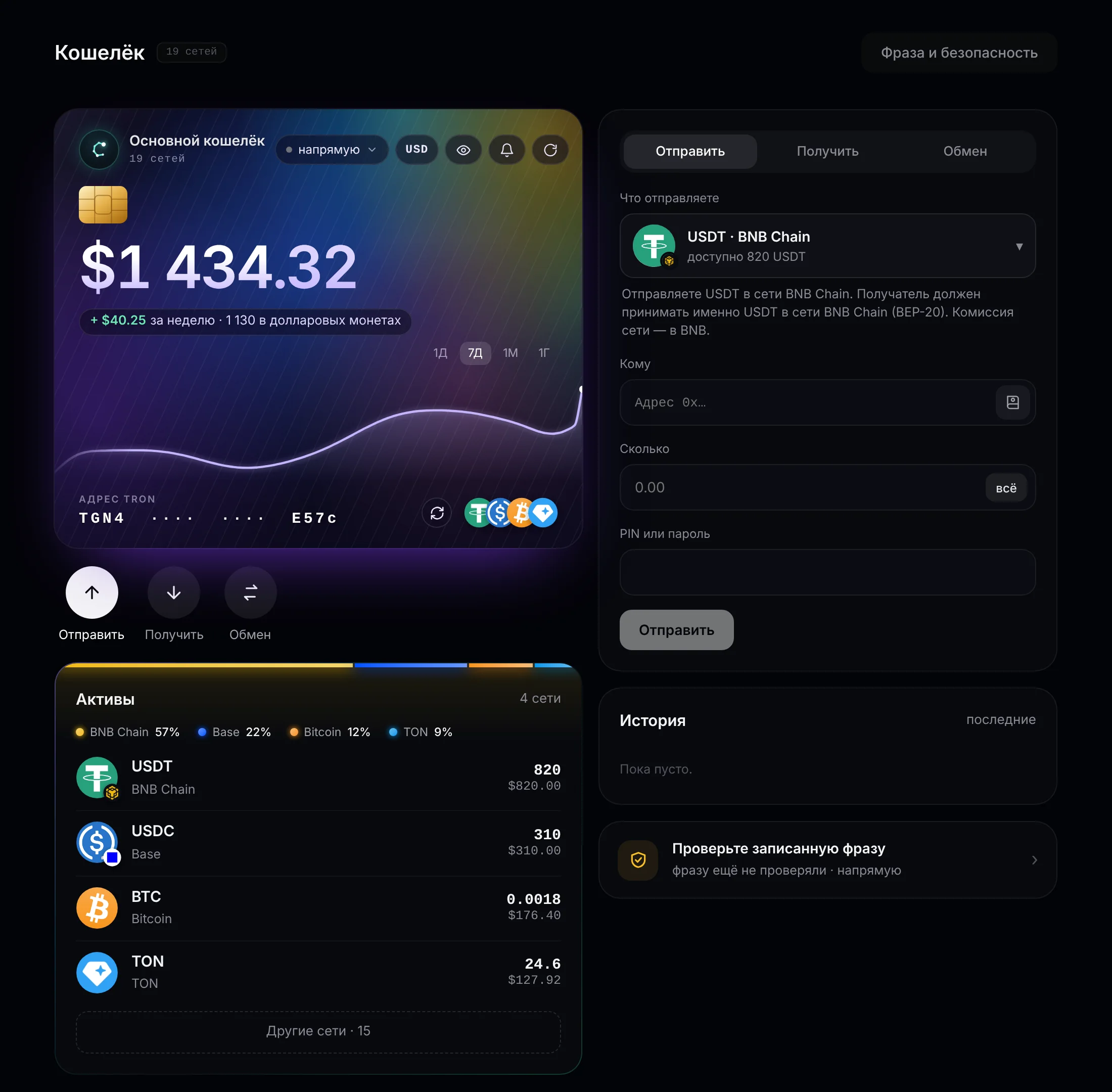
Non-custodial: the 12- or 24-word phrase and the keys live only on your computer. Only finished, signed transfers leave it — the network node merely passes them on and can’t change the recipient.
Keys and paths
The phrase is BIP39. When you create a wallet you choose its length: 12 words (128 bits) or 24 words (256 bits). Import accepts 12-, 15-, 18-, 21- and 24-word phrases from other wallets. Keys for every network are derived from the phrase along standard paths, so the phrase is compatible with other wallets.
| Network | Path | Same as |
|---|---|---|
| Ethereum and all EVM networks | m/44'/60'/0'/0/0 | MetaMask, Trust Wallet |
| TRON | m/44'/195'/0'/0/0 | BIP44 |
| Bitcoin (SegWit) | m/84'/0'/0'/0/0 | BIP84 |
| Litecoin (SegWit) | m/84'/2'/0'/0/0 | BIP84 |
| Dogecoin | m/44'/3'/0'/0/0 | Trust Wallet, Exodus |
| XRP Ledger | m/44'/144'/0'/0/0 | BIP44 |
| THORChain | m/44'/931'/0'/0/0 | Vultisig, Keplr |
| Internet Computer | m/44'/223'/0'/0/0 | dfx, Plug |
| Solana | SLIP-10 44/501/0/0 | BIP44 + SLIP-10 |
| TON | SLIP-10 44/607/0 | BIP44 + SLIP-10 |
| NEAR | SLIP-10 44/397/0 | Meteor, MyNearWallet |
| Stellar | SLIP-10 44/148/0 (SEP-0005) | Lobstr, Solar |
| Aptos | SLIP-10 44/637/0/0/0 | Petra |
Networks
TRON, BNB Chain, Ethereum, Arbitrum, Base, Polygon, Optimism, Avalanche, Bitcoin, Litecoin, Dogecoin, XRP Ledger, Solana, TON, NEAR, Stellar, Aptos, Internet Computer, THORChain — 19 networks, plus popular tokens on them (USDT, USDC and others).
How the phrase is stored
key      = scrypt(PIN, 16-byte salt, N = 2^18, r = 8, p = 1) → 32 bytes
envelope = AES-256-GCM(key, 12-byte iv, phrase) + tag
on disk = the envelope, additionally encrypted by Windows (DPAPI)- Unlocking takes about 0.5–0.9 seconds, and that’s what protects against guessing.
- After 5 wrong PINs in a row a pause kicks in: 30 seconds, then twice as long for each next mistake, up to an hour. The counter is stored on disk and survives a restart.
- Instead of a PIN you can set a password of up to 64 characters.
- Old envelopes (scrypt 2^17) are quietly repacked into new ones the first time they are opened.
Transfers and gas
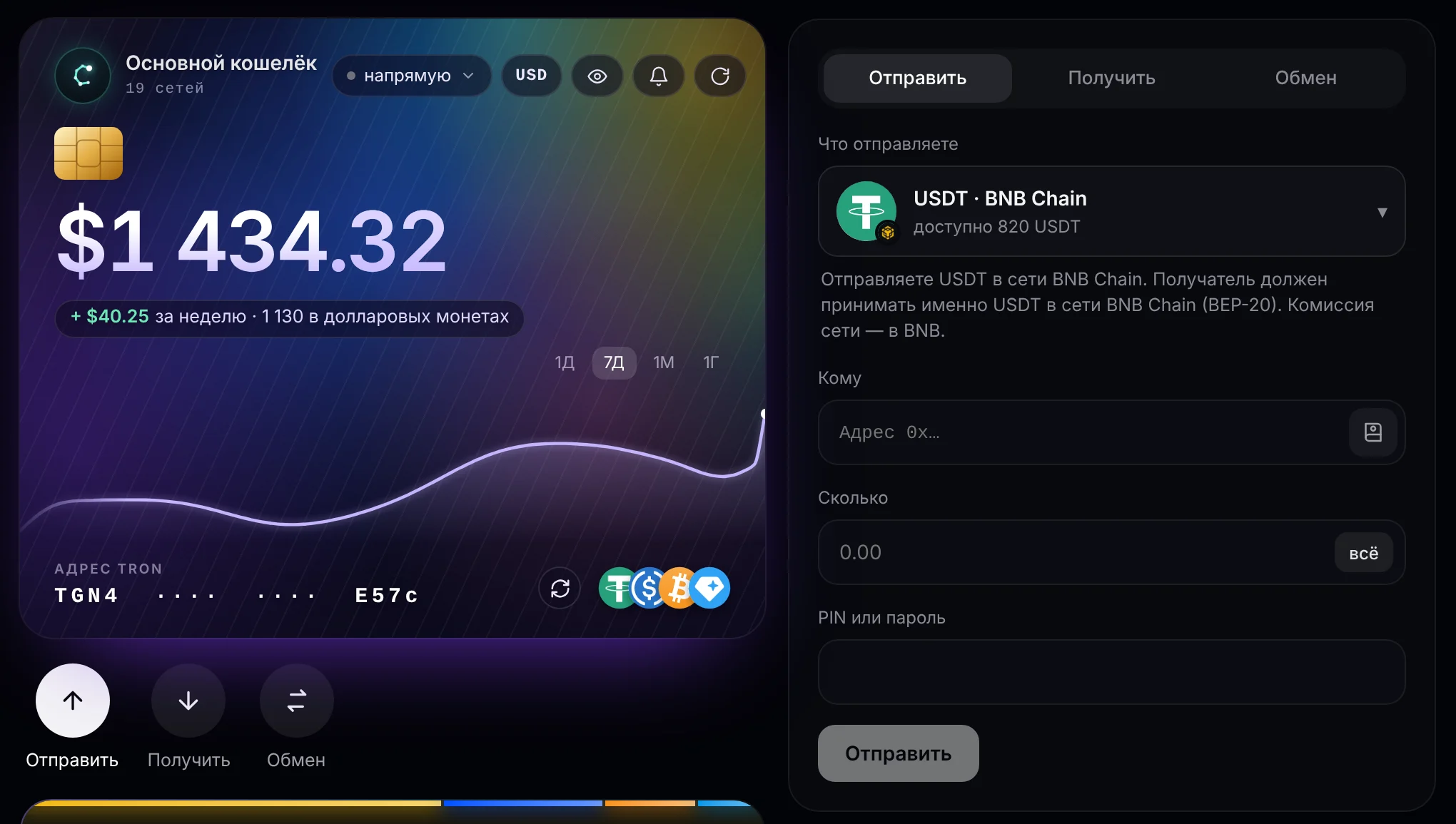
- The wallet checks the live gas price and tells you exactly how much is missing. If another network is cheaper, it offers to send from there.
- No BNB on BNB Chain: our server sends about $0.03 in BNB to the address once (a gas faucet), or the wallet swaps 1.5 USDT for BNB. The faucet pays once per address, only if there really is no BNB and there’s at least $1.5 in USDT, with daily limits.
- Address-swap protection: if malware replaces a copied address, the wallet notices the mismatch and warns you. The recipient address is shown large.
Swaps and buying
- Swaps between networks and coins go through THORChain, LI.FI, NEAR Intents and PancakeSwap. Swap provider addresses are verified, and the recipient in swaps from Solana is checked. The swap fee depends on the amount: the bigger the swap, the lower the fee.
- Buying coins for regular money goes through Transak.
- Prices and balances come from public network nodes and rate services. Dogecoin is cross-checked with a second service.
7. Think
A feed without a server. The core is the record format, signature, verification and storage; the network plugs in on top and trusts nothing: the core checks everything that comes in.
Record format
Every record is a small JSON object with fields in a fixed order, so the hash is the same for everyone:
{ v: 1, k: kind, a: author key, seq: number, prev: author’s previous record,
  ts: time, title, text, [img, re, r, anon, dm, kp, w, by, rc, q, poll, c, enc, kid, mods] }

n   = a nonce chosen so that SHA-256(body ‖ "|" ‖ n) starts with the required number of zero bits
id  = base64url( SHA-256(body ‖ "|" ‖ n) )
sig = Ed25519(author key, id)- Can’t be forged — it’s signed with the author’s key.
- Can’t be changed — the record’s id is the hash of its contents.
- Can’t quietly rewrite the past — every record points to the author’s previous record (
seq,prev). - Expensive to spam — every record needs proof of work.
- An image is stored separately and identified by its hash; size up to 400 KB.
Record kinds
| Kind | What it is |
|---|---|
thought, composition, question | A thought, an image composition, a discussion (optionally with a poll of up to 6 options) |
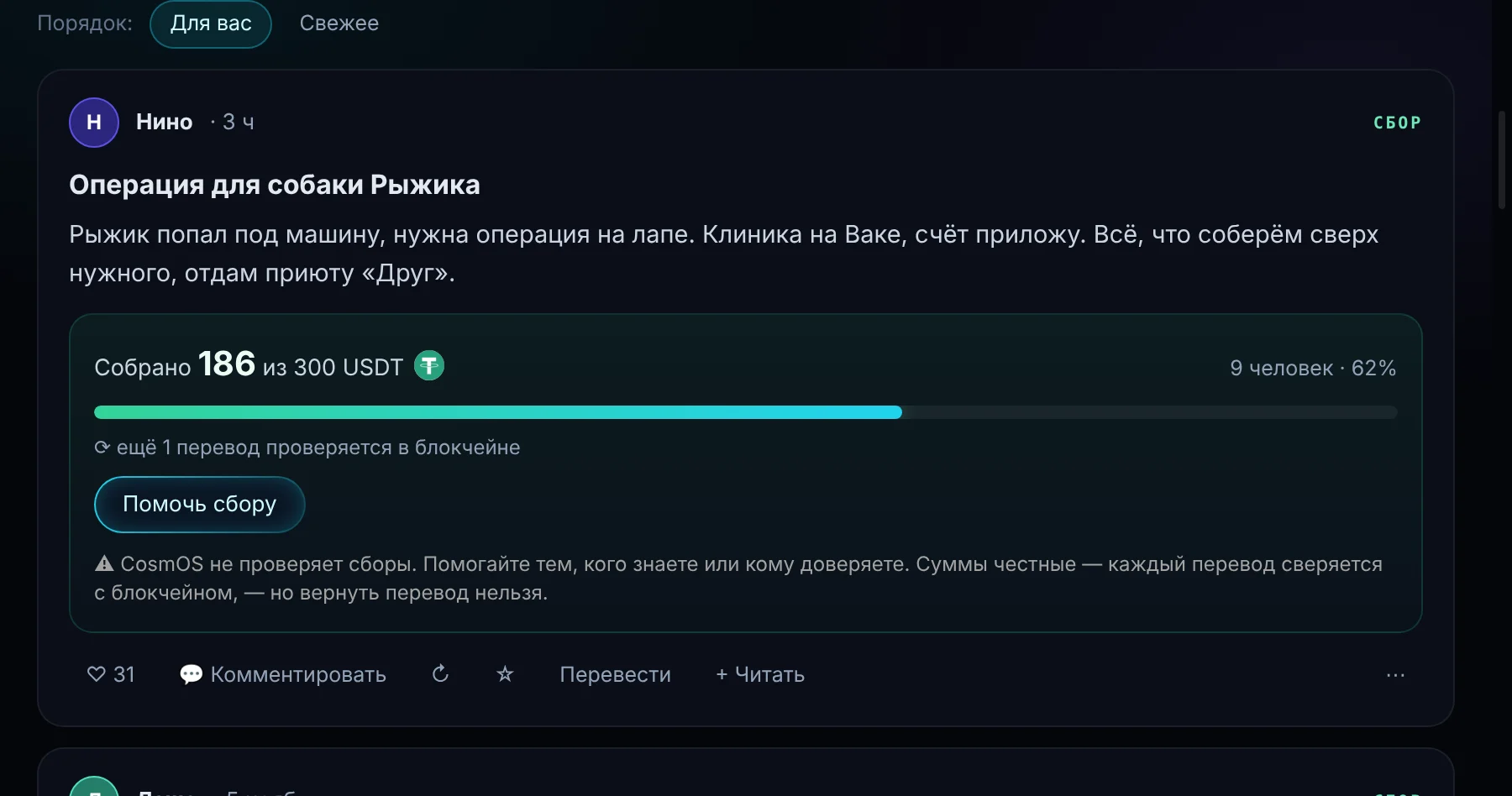
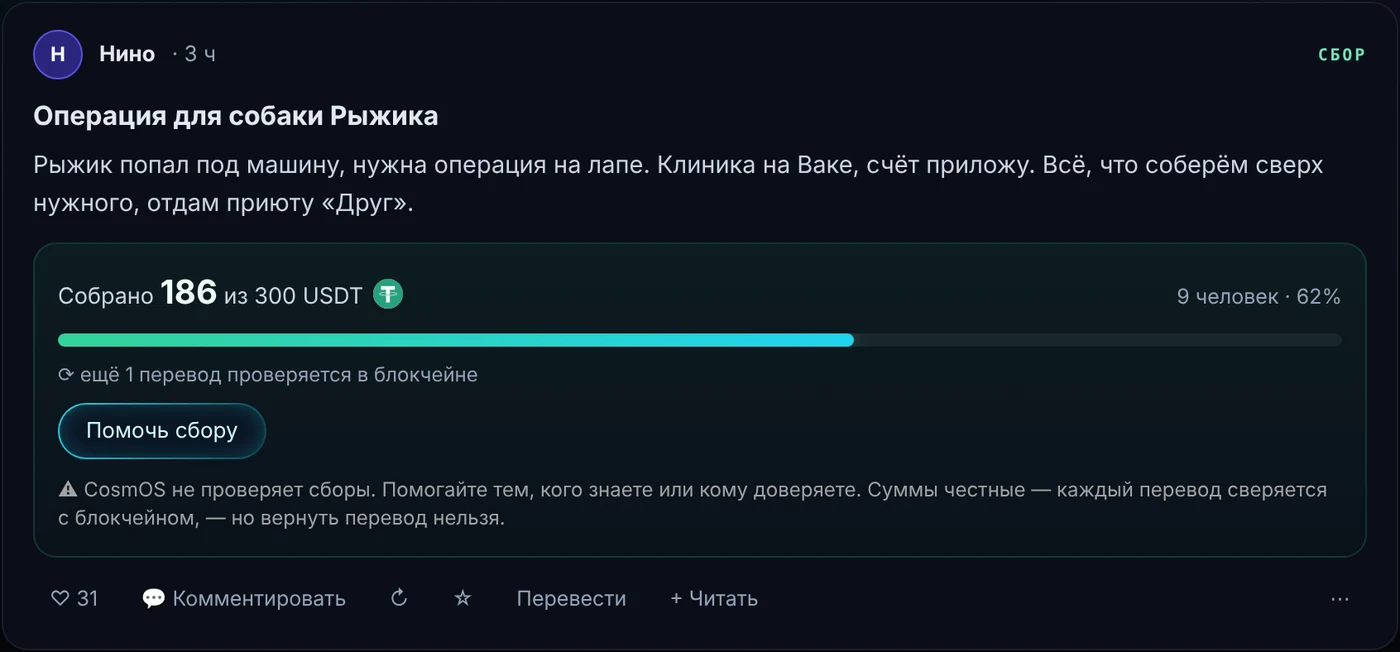
fund | A fundraiser: a goal r in USDT and a wallet address w; it can’t be anonymous or friends-only |
comment | A comment; rc is a reply to another comment |
react | “Like”, “this is a fine post”, a report with a reason, a poll vote, “thank you” |
name | Name, avatar, “about me”, “I’m a network keeper” |
edit, pic | An edit of your own post, an extra image (up to 4 per post) |
circle, cmod | A circle (community) with up to 10 moderators; circle moderator decisions |
vault | An encrypted copy of your own settings and follows |
pay | “I accept support”: a wallet address or off |
tip | “I supported”: the post, the amount, the transaction id on the blockchain, the recipient |
fdone | Fundraiser closed: “raised” or “stopped”, a report of up to 2000 characters, a photo as proof |
mod | A network owner decision (see “Moderation”) |
Work and limits
| What | Zero bits | Daily limit |
|---|---|---|
| Post | 21 | 5 |
| Anonymous post | 23 | — |
| Comment | 16 | 40 |
| Reaction | 14 | 300 |
Post text is up to 5000 characters, a title up to 120, a comment up to 1000. Records “from the future” more than 10 minutes ahead are rejected; identical texts within 48 hours aren’t accepted.
Storage
Records are kept in the posts.log journal, images in blobs/. By default the feed gets 500 MB (minimum 20). When space runs out, whatever hasn’t been viewed the longest is evicted; other people’s posts you haven’t opened are kept for at least 14 days.
Exchange between browsers
| Message | Meaning |
|---|---|
sum | “Here’s the latest record I have from each author” |
req | “Send me these records” |
posts | Records (up to 100 at a time and 40 KB per batch) |
breq / blob | An image request / the image in 30 KB chunks |
treq | “Send everything about these posts”: marks and comments |
The browser syncs with each neighbor once a minute but no more than once every 5 minutes; it asks for a given image at most once a minute and a discussion at most once every 2 minutes.
Nodes
- A Think node has its own
.onionaddress, different from the Messages one: no one can find you in chat by your node address. - Nodes tell each other about nodes they know. We don’t trust others’ word: an address becomes verified only when the browser has connected to it itself.
- Modes: “Read only” — your address isn’t opened, 5 outgoing connections; “Help the network” — accepts incoming connections, 8 connections; “Keeper” — 12 connections, more space for the feed and always keeps a fallback route.
- If Tor is blocked, a node meets others through the relay server with a third, separate key. The server only introduces nodes and forwards ciphertext.
Anonymity and friends-only
- An anonymous post is signed with a one-time key and needs more work. For the first 6 hours your browser doesn’t share your own anonymous posts itself, so they can’t be linked to you by timing.
- Anonymous support is published with a 1–4 minute delay. Only your name in Think is hidden: the transfer itself is visible on the blockchain.
- “Friends only”: the post is encrypted with the keys of your friends from Messages, so only they can read it.
Anti-spam and moderation
- Reports (spam, porn, insults, flooding, fraud) fold a record in steps based on the share of reports among all marks: 2+ reports and 20% is the first step, 3+ and a third is the second, 6+ and half hides the record. Fundraisers aren’t folded by reports — the network owner decides.
- The image analyzer runs on the reader’s computer; if the “porn” score is above 0.7, a mark is added.
- New authors: during a probation period (turned on by the owner) a new author — one the browser has known for less than two days — goes into “New voices” until someone marks them. Newcomers’ replies are folded and their links don’t spread further.
- The post author can remove a comment under their own post and close the discussion.
- The network owner can hide or restore a record, turn on probation and add a domain to the scam list. Their decisions are signed records too. You can turn off trust in them in Think settings.
- Scam protection: the network doesn’t accept a record containing a wallet seed phrase (12–24 BIP39 words) at all. Bait (“giveaway”, “we’ll double it”, “connect your wallet”) and risky links (shorteners, suspicious zones like
.xyz, brand imitations) get a warning.
Support and fundraisers
- Only USDT and USDC on BNB Chain, directly from person to person. Neither the network nor CosmOS holds the money.
- Verification: the browser itself reads the transfer on the blockchain using the id from the
tiprecord and sums the Transfer events to the author’s address. Each transfer counts once. If it isn’t confirmed, it retries with a growing pause. - CosmOS service fee: 1.5% on top of tips (minimum 1 cent, capped at 2% in the code). A separate transfer after the transfer to the author: the author gets the whole amount even if the second transfer fails. Fundraisers have no fee.
- One open fundraiser per author. A fundraiser is closed with a report and, if needed, a photo as proof.
- The recipient can say “thank you” (it counts only from the post’s author) or write to the supporter in Messages, if they allowed it.
Translating foreign languages
A post’s language is detected on your computer, by script or by common function words; short and uncertain texts aren’t marked. A foreign-language post is translated automatically, one at a time, by the same Bergamot engine used for pages. Above the text are a flag, the language name and an “original” button. You can turn it off in Think settings.
Recovery phrase
24 words from the BIP39 wordlist are the author’s Ed25519 key itself, written as words. With them your name, posts, follows and settings come back on any computer.
8. The CosmOS server
The outline-relay program (Go) on a rented server. It’s a fallback route and a set of service functions; without it, messages, posts and money stay with users.
What it does
- Forwards encrypted Messages and Think packets when Tor isn’t working.
- Holds letters for people who are offline and answers “is this person online”.
- STUN/TURN for calls on the same port over UDP and TCP.
- Serves the installer and updates at
/dl/with resumable downloads. - The BNB Chain gas faucet, crash report intake, anonymous statistics.
What it stores
| Data | How long | Details |
|---|---|---|
| Mailbox letters | 30 days | Ciphertext only. Up to 1500 letters per person, 600 per pair, 1000 sealed-sender, 300 from strangers (50 from one), up to 1 GB total |
| Presence numbers | while needed | Only the SHA-256 of the numbers, regular and inverse |
| “Last seen” time | 90 days | For people who show only “how long ago”, the exact time isn’t written to the file |
| Passes | while needed | Hashes only |
| Statistics | 400 days | Daily counters: active browsers, downloads, updates, versions, peaks |
| Crash reports | — | Error text, version, OS; the IP isn’t stored |
Limits
Frame up to 420 KB, data up to 320 KB, up to 40 connections per IP and 20,000 total, 60 messages per 10 seconds per connection, up to 20 seconds to sign in, disconnect after 4 minutes of silence, up to 400 contacts in the watch list.
Anonymous statistics
Every 10 minutes the browser requests latest.json with the parameters v (version) and u (a random 16-character tag, new every UTC day). With the tag the server counts “active today” and “open now” (a request in the last 16 minutes), but it can’t follow a person from day to day. Installer downloads are counted by an address fingerprint with a salt that changes daily and lives only in memory; bots and link previews aren’t counted, and downloads by the browser during an update count as “updates”. Turn it off with the “Anonymous statistics” switch.
9. Where the browser connects
The complete list of the browser’s own outgoing connections, apart from the sites you open:
| Where | Why | When |
|---|---|---|
dl.d27.company | Updates, statistics, gas faucet, crash reports | Every 10 minutes; reports only with consent |
| CosmOS relay server | The fallback channel for Messages and Think, mailbox, “online”, calls | While the browser is open |
| The Tor network | Sites (if enabled), Messages, Think nodes | While the browser is open |
| GitHub | Ad and tracker lists, backup updates | Every few days |
| MetaMask and Phantom lists | Protection from scam sites | At most once every 20 hours |
| Mozilla model servers | Translation language models | Once per language pair |
| Public blockchain nodes, rate services | Balances, prices, gas, sending signed transfers | When the wallet or Think support is open |
| THORChain, LI.FI, NEAR Intents, PancakeSwap, Transak | Swapping and buying coins | Only when you swap or buy |
10. Recovery and moving
| What | How to restore |
|---|---|
| Wallet | 12 or 24 words, whichever length you chose at creation. They also work in other wallets with the same paths |
| Think | 24 words — name, posts, follows, settings |
| Messages | Link a new device to the old one; chats can be saved as an archive |
| Bookmarks, passwords | Live in the user folder; passwords are tied to the Windows account |
No one, including CosmOS, can recover your keys for you. We don’t store them. Write down your wallet phrase (12 or 24 words) and your Think phrase (24 words) on paper and never type them into websites — CosmOS will never ask for them. The Think network won’t even accept a post containing such a phrase.
11. Limitations
- Windows 10 and 11 only; a mobile version is planned.
- There’s one relay server, run by CosmOS. If it’s unavailable, Messages and Think work over Tor, but the mailbox for offline people and the fallback for blocked Tor go away.
- The Think network owner can hide records; trust in their decisions can be turned off.
- CosmOS doesn’t verify what fundraisers are for. The report at closing is the author’s responsibility.
- The code isn’t fully open; there hasn’t been an external audit of the encryption and the wallet yet.
CosmOS is made by D27 · d27.company · Home